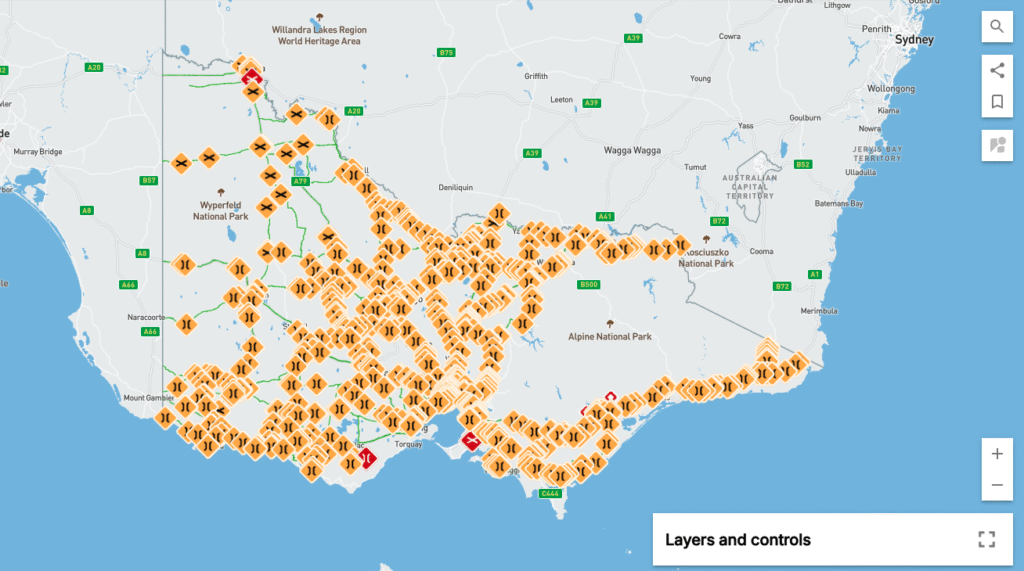
Go to our VIC HPLV Maps (hint: it’s on the Home Page of this app) to view the PDF version.
⚠️ Please note: this version does not show any infrastructure limits or restrictions.
If you need to see these details, head to the NHVR Network Map and select High Productivity Livestock Vehicles in the drop-down, then choose your vehicle combination.
If the map looks hard to read, you can:
- Zoom in on the road you need
- Or use the Layers option to remove some of the yellow and red icons
👉 Keep in mind, though, those icons indicate important limits and restrictions that may impact your combination.
✅ Tip for Trip Planning
Before travelling, it’s a good idea to cross-check your intended route with both the VIC HPLV Maps and the NHVR Network Map. This ensures you’re aware of any restrictions, road conditions, or seasonal closures that could affect your journey.
Safe travels, and always drive to conditions!